Tutorial: Step-by-step guide

1. Sign up
Become a member of mandarincorner.org.

2. Choose a PDF
Log in and open a PDF you'd like to study.
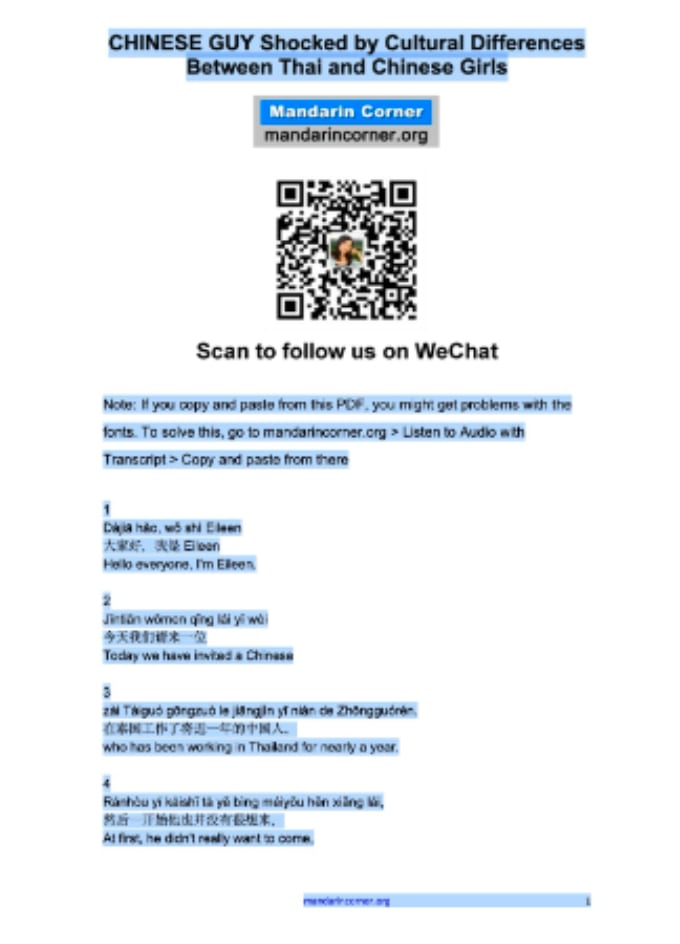
3. Copy the text from the PDF
Open the PDF and select all text.
Mac: Cmd + A → Cmd + C
Windows: Ctrl + A → Ctrl + C
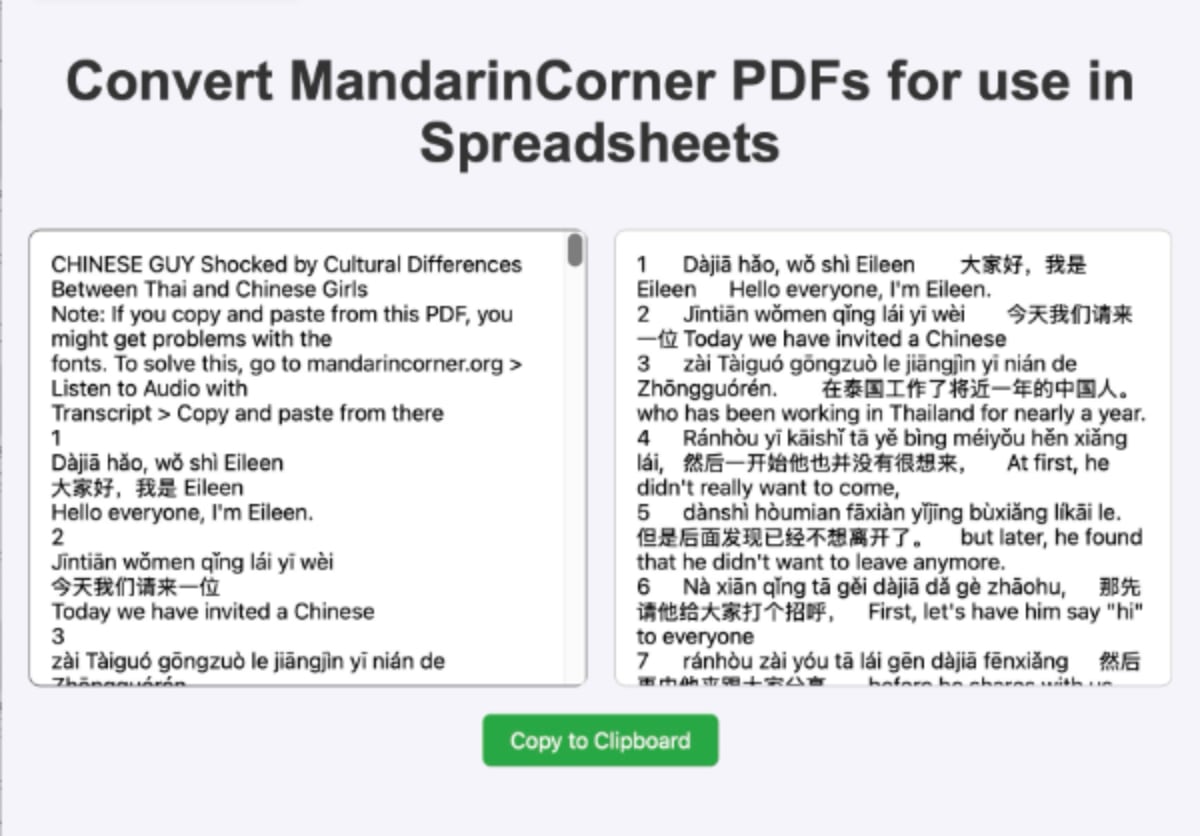
4. Paste into the INPUT box
The text will be cleaned and TSV-formatted automatically. See the result in the OUTPUT box.
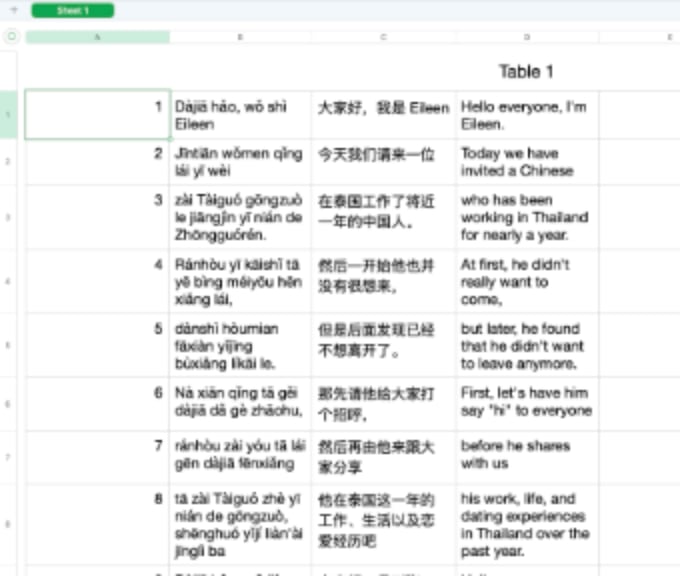
5. Paste into spreadsheet
Copy the TSV to Clipboard and paste it into Apple Numbers, Microsoft Excel, or LibreOffice.

A. Use case example: Add new translations
Now that everything is neatly organised in a Spreadsheet, you can easily add new translations with the help of DeepL, Google translate, etc.
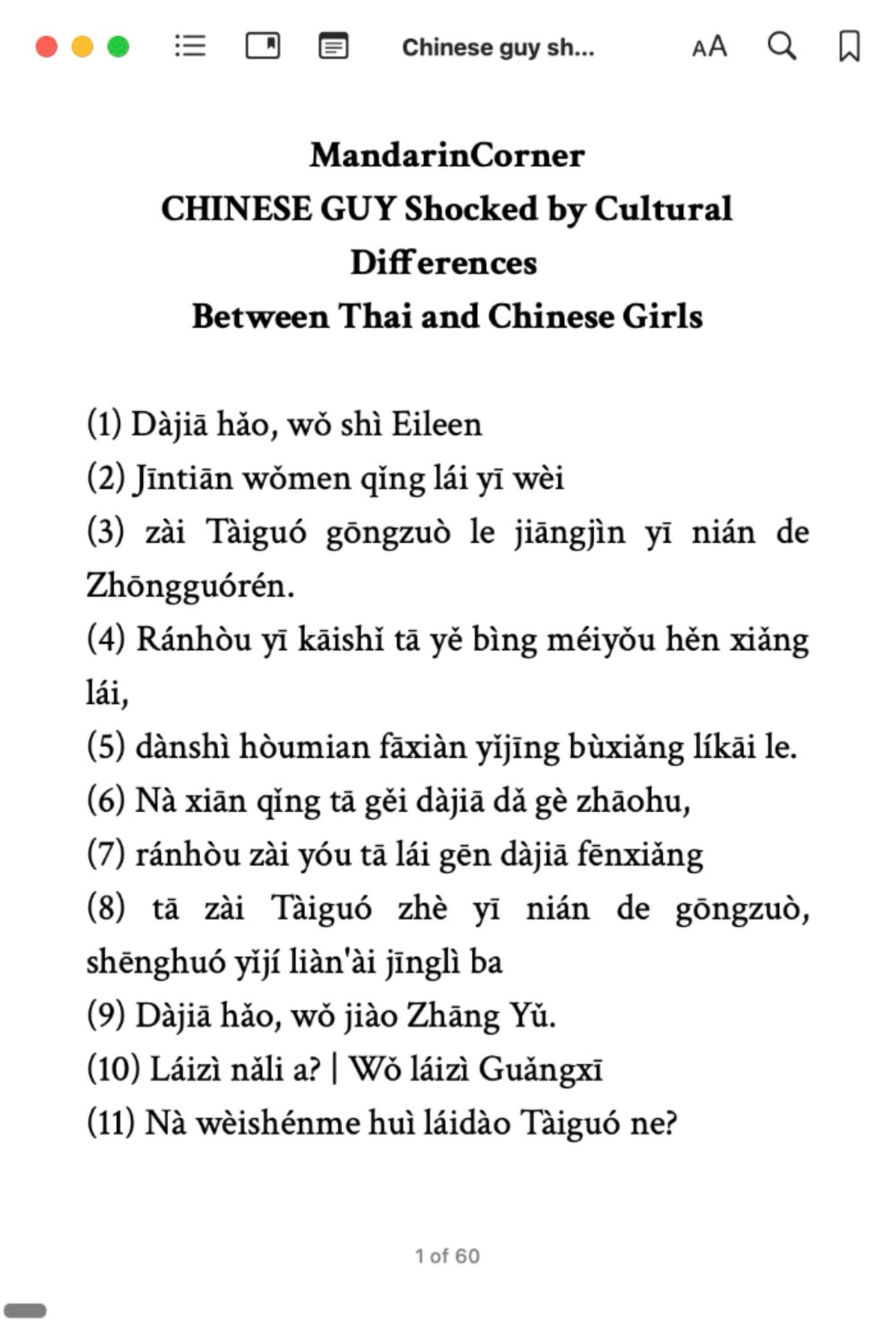
B. Use case example: Create a private Kindle ebook
Format and export as needed to make your own personal ebook for Kindle, or other e-reading platforms. Be aware that Mandarin Corner content is copyright and only for Mandarin Corner members.

Chinese Pinyin dictionary for Kindle
Get the Chinese Pinyin-English Dictionary on Gumroad for convenient word look-up on Kindle.

Respect copyright
All Mandarin Corner material is copyright protected. Use it strictly for personal study only. Do not distribute or share. Please support Mandarin Corner by maintaining your membership.